
Docs
Email inbox
Work customer email from Email. Threads are filed and filtered with the left Shelves rail; open a row to read, reply, and take action.
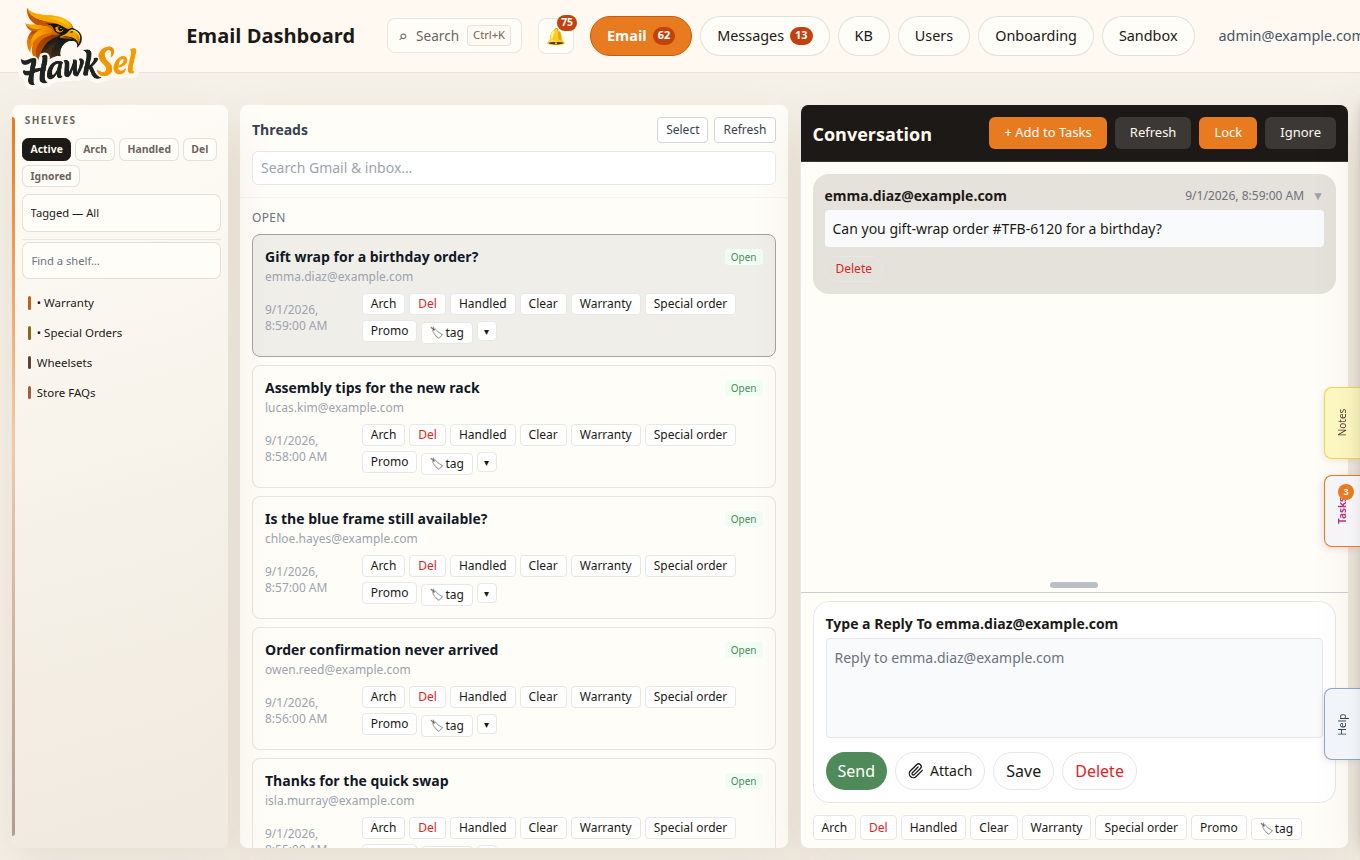
Open Email
- In the top nav, click Email (full title: Email Dashboard).
- The list shows threads for the current shelf / view chip.
- Click a thread to open it. On narrow layouts the thread may take the full width; use back to return to the list.
Shelves rail
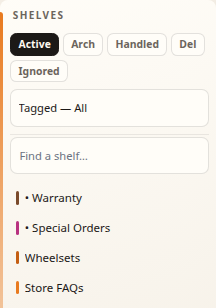
The left rail is labeled Shelves. It has three jobs: switch queues, filter by teammate tags, and file mail onto labels.
| Chip | What you see |
|---|---|
| Active | Live inbox — not archived, deleted, or ignored |
| Arch | Archived threads |
| Handled | Archived threads marked handled by a human |
| Del | Deleted threads |
| Ignored | Ignored threads |
Click Active when you want work-in-progress. Use Handled when measuring human-completed work.
Tagged filter
Use Tagged — All or Tagged — {name} to show threads tagged for a teammate (when tags exist for your org).
Labels (shelves)
- Search with Find a shelf…
- Click a label to browse On this shelf.
- Drag a thread onto a shelf to file it. While dragging, the rail shows Drop on a shelf · clears inbox — filing typically removes the thread from Active while keeping the label.
- Empty states: Loading shelves…, No shelves match, No labels yet. Use Retry if labels fail to load.
Built-in category-style labels you may see include • Warranty and • Special Orders (visibility depends on org config).
List groups (Active)
On Active, the list may group threads as Open, Locked, Escalated, plus related sections. Searching replaces groups with Search results.
Thread actions
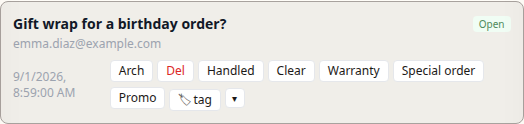
Buttons on a thread (text can be customized per org via Settings → Email / action config):
| Action | Typical effect |
|---|---|
| Arch | Archive the thread |
| Handled | Mark handled by a human and archive |
| Clear | Remove from inbox while keeping labels |
| Del | Delete |
| Restore to inbox / Unarchive / Restore | Bring a thread back from Arch/Del contexts |
Bulk actions
With multiple threads selected: Archive, Clear, Apply tag…, Move to label…, Delete.
AI drafts
When email AI is enabled, drafts appear in the thread for review. Edit before sending. Behavior is controlled by Settings → Agent (tools/policies) and Settings → Email.
Search
Use the email search field to find threads by subject, participant, or content. Results show under Search results.
Tasks, Notes, and Tools
From a conversation you may open slide-out panels for tasks, notes, and shipping Tools (return labels) when carriers are connected — same edge-tab pattern as Help.
Related
- Settings — customize action buttons and integrations
- Troubleshooting — missing mail or wrong filter
- Getting started — Help and onboarding