
Docs
Settings
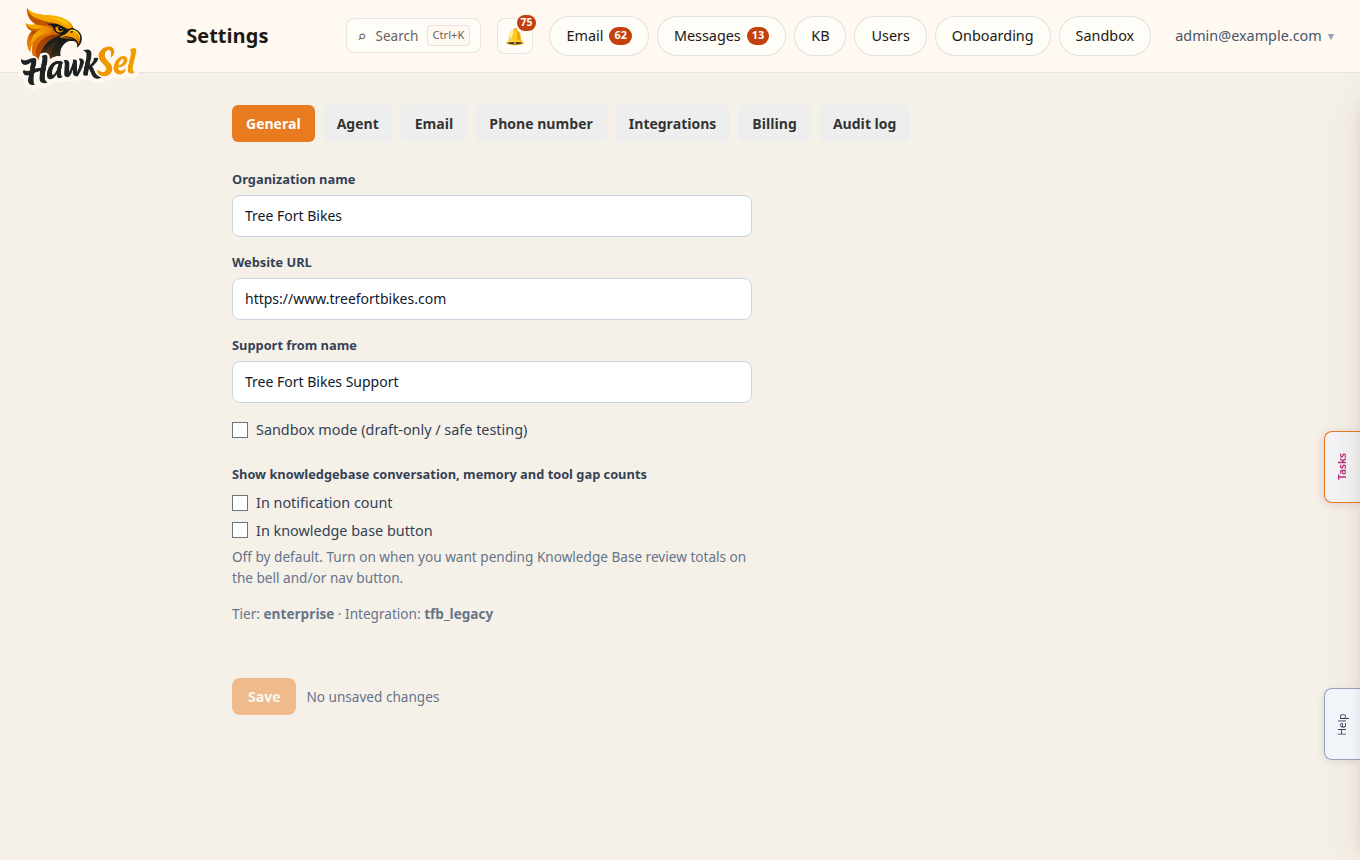
Admins configure HawkSel from More → Settings. Save each tab before switching away when you have unsaved edits.
Who can open Settings
Org Settings requires the dashboard Users-table role admin (org-membership roles alone do not grant Settings). If you cannot see Settings, ask an admin.
Tabs
| Tab | Purpose |
|---|---|
| General | Organization profile, timezone, high-level preferences |
| Agent | Tools, policies, and how the AI behaves |
| Inbox action buttons and email-related options | |
| Phone number | SMS / phone provisioning and status |
| Integrations | Gmail, Shopify, carriers, Messenger, and other connects |
| Billing | Plan, invoices, usage, payment management |
| Audit log | Admin history of important changes (when enabled) |
General
- Set the organization name customers should recognize.
- Confirm timezone (affects timestamps and some scheduling).
- Click Save.
Agent
Enable only the tools you need (orders, products, returns, etc.) and set policies for refunds, escalations, and tone. Save, then verify in Sandbox.
Email action buttons
Under Settings → Email, configure per-org action buttons so inbox labels (Handled, Arch, custom actions) match your workflow. The inbox reads GET /email/action-config for button text and behavior.
Phone number
Use Phone number to provision or inspect the SMS-capable number. Status and billing for phone may appear here and under Billing.
Integrations
Status pills in the UI map to:
| Display | Meaning |
|---|---|
| Active | Connected / working |
| Inactive | Not set up yet (not necessarily an error) |
| Error | Needs attention (credentials, webhooks, etc.) |
Follow each integration’s Connect / setup guide. Carrier connects can unlock conversation Tools (return labels).
Billing
See Billing & usage for plans, invoices, and usage. Shortcuts: Manage billing, Billing not configured, Managed in Shopify.
Audit log
Admins can review significant configuration changes when the Audit log tab is enabled for your org.