
Docs
Sandbox
Sandbox (Sandbox Chat) lets staff rehearse agent replies with your real org config — brand, tools, policies, and Knowledge Base — without messaging customers.
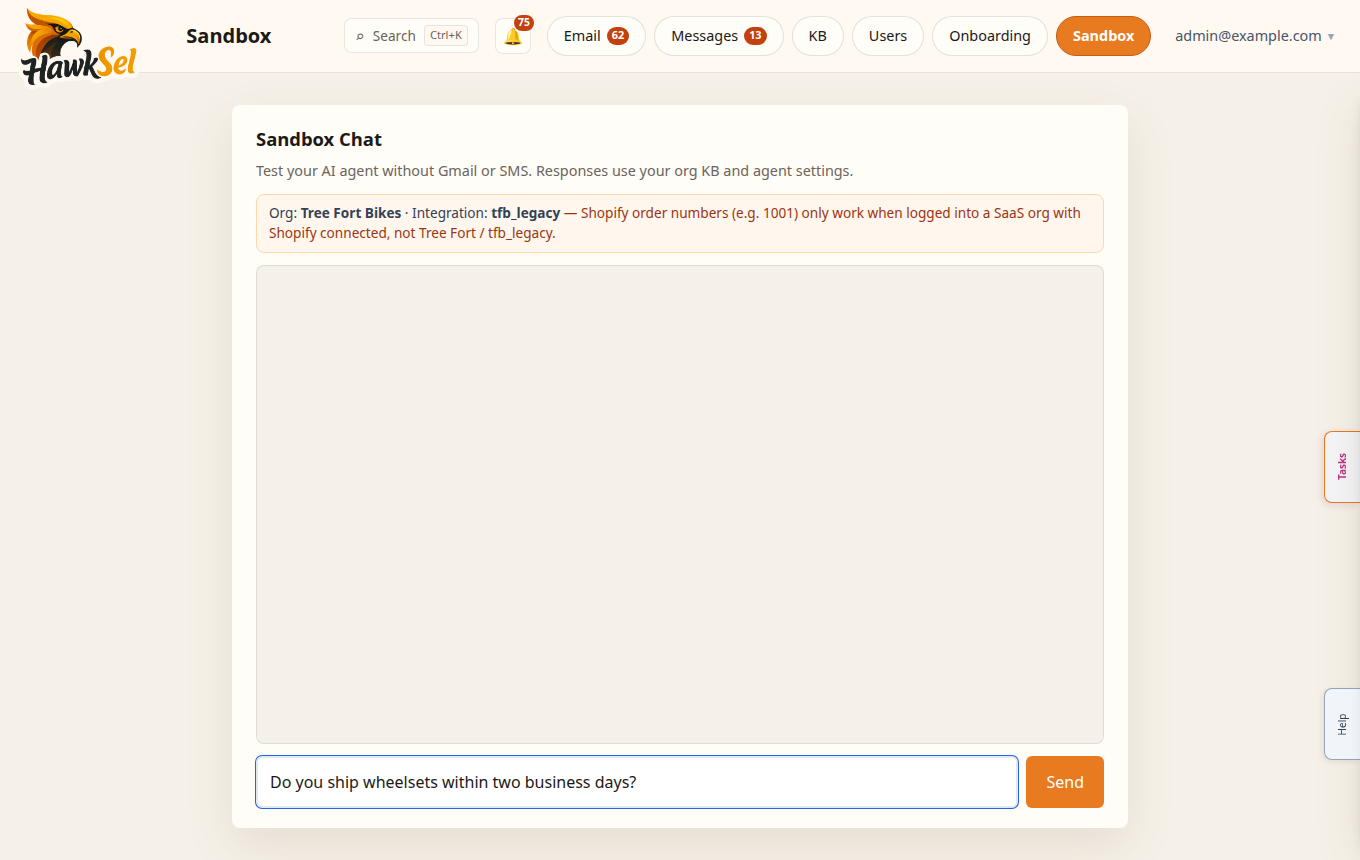
Open Sandbox
- Open Sandbox from the top nav or More → Sandbox.
- Type a customer-style question.
- Review the agent reply, adjust KB/settings, and retry.
The UI marks this as a safe rehearsal (not sent to customers).
What Sandbox uses
| Included | Not included |
|---|---|
| Org agent config, tools, policies | Outbound SMS/email to real customers |
| Knowledge Base for your org | Billing of Help Ask answers (separate; also free) |
| Commerce adapters when connected | Guaranteed parity with every edge-case channel quirk |
AI usage from Sandbox may still be recorded for ops metering of the agent path; treat Sandbox as a staff tool, not free unlimited production traffic. Prefer concise test chats.
Safe testing checklist
- Ask your top 10 FAQ questions after a KB upload.
- Try an order-status style question if Shopify/commerce tools are connected.
- Confirm escalation when information is missing or policy forbids an action.
- Fix KB or Settings → Agent, then retest the same prompt.
- Complete the Sandbox test step in Onboarding before enabling heavy live auto-replies.
Related
- Getting started — onboarding step 4
- Knowledge Base
- Messages (SMS)