
Docs
Messages (SMS)
Customer text conversations live under Messages. The list shows phones and resolved contact names; open a row to reply or let the agent respond.
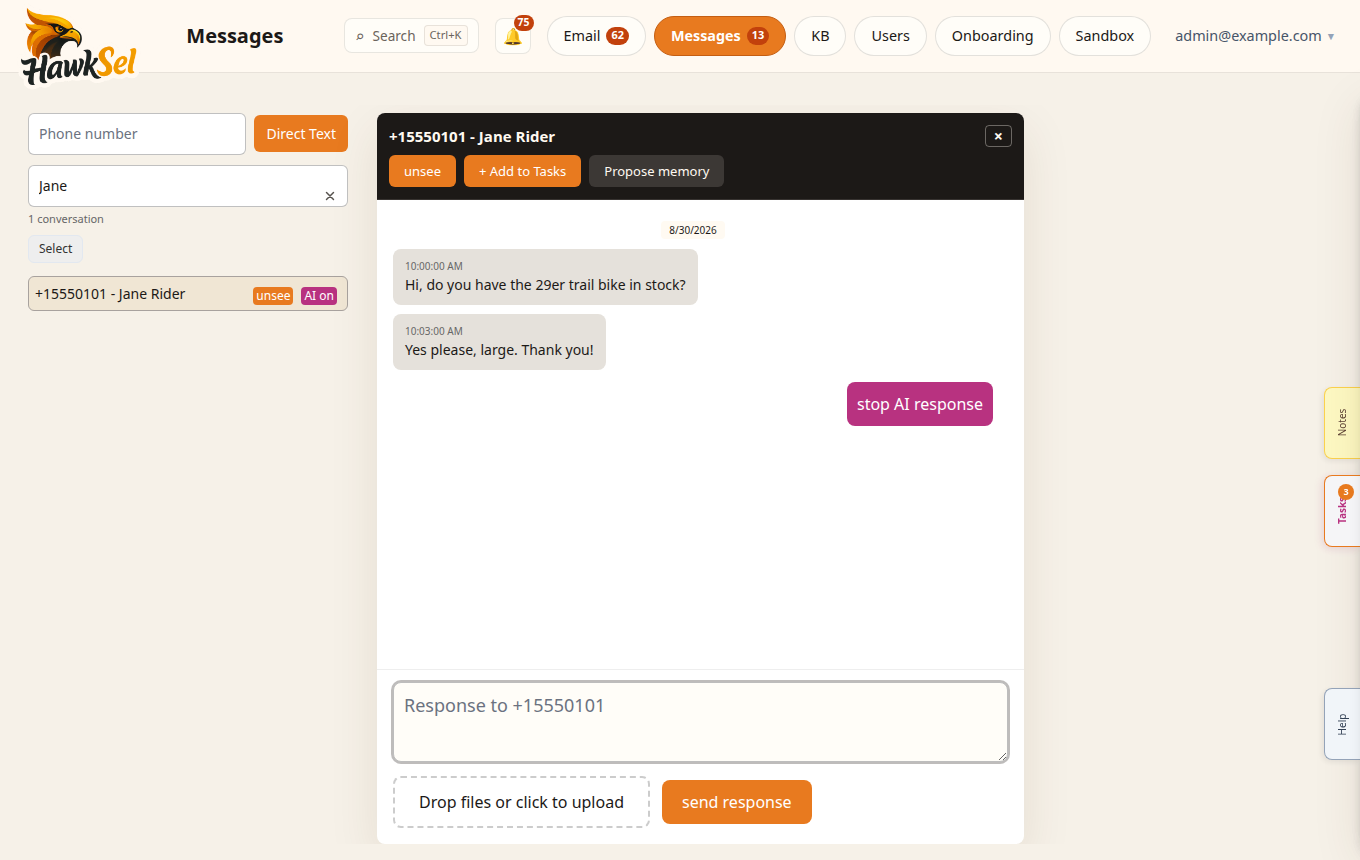
Messages uses a darker conversation chrome; contact names appear when your users / contacts data matches the phone.
Open Messages
- Click Messages in the top navigation (shown when SMS is enabled for your org / legacy channels).
- Browse the left conversation list.
- Click a conversation to open the thread and composer.
Conversation list
- Resolved names — when a customer contact matches the phone (formatting-tolerant), the list shows a name such as
Jane Riderwith a formatted number. - Unknown contacts — formatted phone only (for example
(555) 010-0100). Avoid relying on the old “new user” placeholder except when truly unknown. - Search — Search messages… finds conversations by content or phone; status may show Searching… and a conversation count.
- Pagination — Load more / Loading… for older threads.
Start a new text
- Enter a Phone number in the new-message field.
- Send with Direct Text / Text (label depends on build).
- The thread appears in the list for follow-up.
AI on / off
| Control | Meaning |
|---|---|
| AI on / AI off | Whether the agent may auto-respond on that conversation |
| start AI response | Allow the agent to draft / send per policy |
| stop AI response | Pause AI so a human owns the thread |
Escalated threads may show a warning indicator so a teammate can take over.
Composer and media
- Composer placeholder style: Response to {phone}.
- Media and attachments render inline when present.
- Use Tasks / Notes / Tools slide-outs from the conversation chrome when available (same pattern as email).
Best practices
- Turn AI off (or stop AI response) while you are actively chatting as a human.
- Keep contact phones in a consistent format in your customer store so names resolve.
- After changing agent policy or KB, spot-check a few SMS scenarios in Sandbox first.
Related
- Knowledge Base — what the agent can cite
- Sandbox — rehearse SMS-style questions
- Billing & usage — SMS segment metering